Why Does Your Animation Still Feel Stiff? Understanding the Power of the Graph Editor
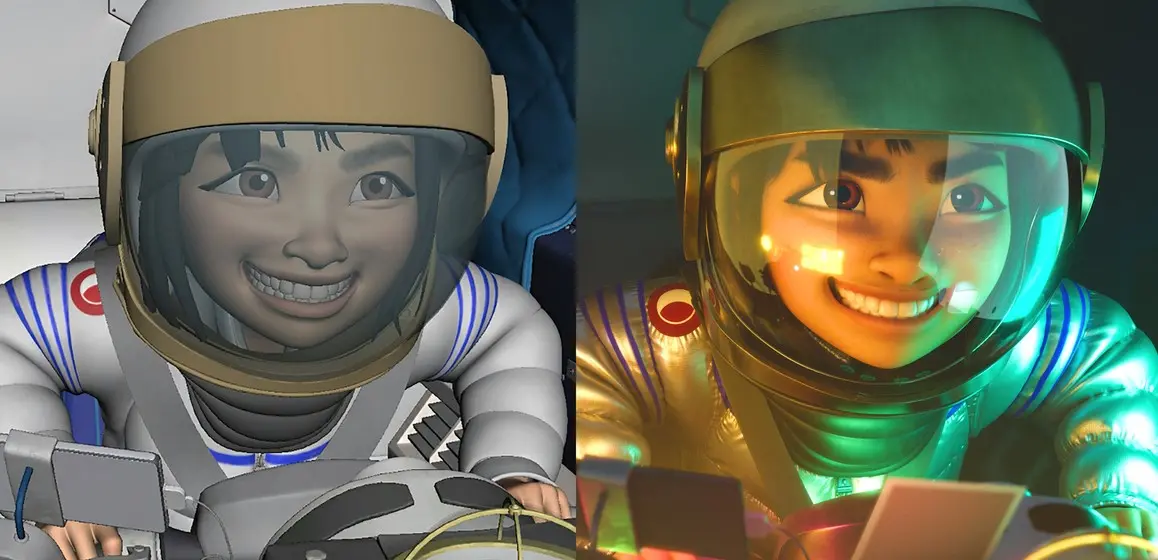
Many animation beginners experience the same frustration: the poses look correct, the timing seems accurate, and the keyframes are properly placed, yet the final animation still feels stiff, robotic, or emotionally flat.
In most cases, the problem is not the poses themselves. The real issue often lies in the animation curves inside the Graph Editor.
In 3D animation, keyframes simply define the state of an object at specific moments on the timeline. They store information such as position, rotation, scale, or other transform values. Keyframes tell the software where an object should be at a certain frame.
However, keyframes alone only create the structure of movement. What truly determines whether motion feels smooth, dynamic, and believable is the way those keyframes are connected through animation curves.
This is where the Graph Editor becomes essential.
Inside the Graph Editor, every animated attribute - such as Translate X, Rotate Y, or Scale Z - is represented by its own animation curve. These curves control how movement changes over time, including acceleration, deceleration, rhythm, and motion flow.
When curves are properly adjusted, animation gains weight, energy, and natural movement. On the other hand, if animators rely only on raw keyframes without editing curves, the motion often becomes linear, mechanical, and lifeless.
One of the most important skills in professional animation is learning how to control Bézier handles within the Graph Editor. By adjusting tangents and curve shapes, animators can create smoother transitions and more natural acceleration between movements.
Ease In and Ease Out are fundamental principles used in nearly every professional animation workflow. Instead of moving objects at a constant speed, animators gradually accelerate and slow down motion to mimic real-world physics and organic movement.
Beyond easing, techniques such as overshoot, breakdown frames, and spacing adjustments help add personality and emotional depth to animation. Even subtle actions like head turns, hand gestures, or character movement become far more believable when supported by strong curve control.
In professional production environments, animators are not simply “placing keys.” They are carefully shaping motion rhythm and visual storytelling through timing and curves. This is often what separates basic animation from cinematic-quality performance.
At Lumina Academy, students are trained using industry-oriented animation workflows, covering pose creation, timing, spacing, and advanced Graph Editor techniques based on studio standards. Rather than only teaching software operations, the training focuses on helping students understand why motion works and how storytelling is communicated through animation.
Animation is not just about making characters move. It is about telling stories through motion, rhythm, and emotion.